Custom Software
Broda Price Comparator
A private platform to compare prices against the competition: it gathers products from restaurants and supermarkets across different sources and leaves them ready to analyze.
- Client
- Broda
- Industry
- Food service & supermarkets
- What we did
- Analysis panel & automatic price tracking
- Type
- Internal platform
The Challenge
Create an internal price-comparison tool able to unify products from restaurants, supermarkets and competitors, when the data arrives from other platforms, online stores, PDFs and manually curated catalogs.
- Work with own stores and competitor stores, accounting for the differences between restaurants and supermarkets.
- Match equivalent products by hand or automatically by barcode.
- Collect products from very different sources: other platforms, websites, online stores and PDF menus.
- Export the comparisons in a format that is useful for business analysis.
The Solution
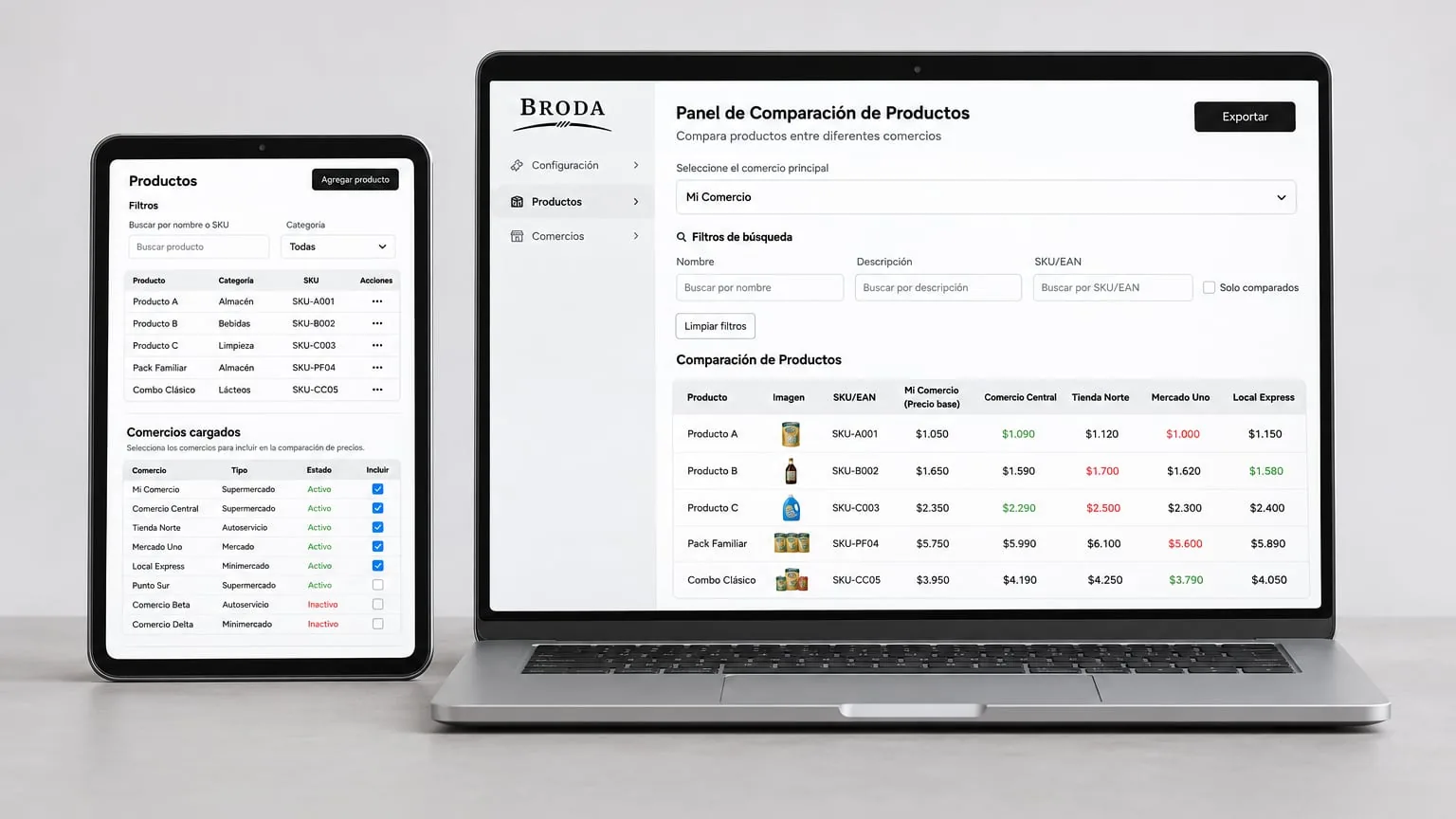
We built a dedicated panel that stores shops, products and comparisons, tracks prices automatically and exports the results to Excel.
- Comparison panel per own store, with one column per competitor and instant product search.
- Automatic barcode comparisons for supermarkets, with a summary of created and skipped matches.
- Scheduled product collection from multiple stores: it connects to other platforms, browses websites and reads PDFs.
- Store and product administration, with control over what is loaded by hand and what is collected automatically.
- Excel export of products and comparison reports.
What It Includes
- 01
Comparison panel
Pick an own store, filter the products and link each one to its competitor equivalents.
- 02
Barcode matching
Supermarket comparisons are created automatically from product codes.
- 03
Scheduled collection
Automated jobs collect products from restaurants, supermarkets, online stores and delivery apps.
- 04
PDF menu reading
PDF menus are read with text recognition and artificial intelligence to extract products and prices.
- 05
Excel reports
Products and comparisons are exported to Excel for business analysis.
- 06
Catalog administration
Create and edit stores and products with link, image, category, barcode, price and loading mode.